


You’ve just unboxed your new vape battery 510 device, and now you’re wondering… how exactly does this thing work?
If you’re new to vaping, the sight of a 510-thread battery vape pen and a cartridge might leave you with more questions than answers. Where does the cartridge go? Do you need to charge it first? How do you even turn it on?
Don’t worry—you’re not alone. Many first-time users feel confused when they hold a 510 vape battery for the first time. The good news? Once you understand the basics, using your device becomes second nature.
This beginner-friendly guide will walk you through everything you need to know, from charging your battery to taking your first puff. By the end, you’ll feel confident using your 510 battery for vape cartridges safely and effectively.
What Is a 510 Vape Battery?
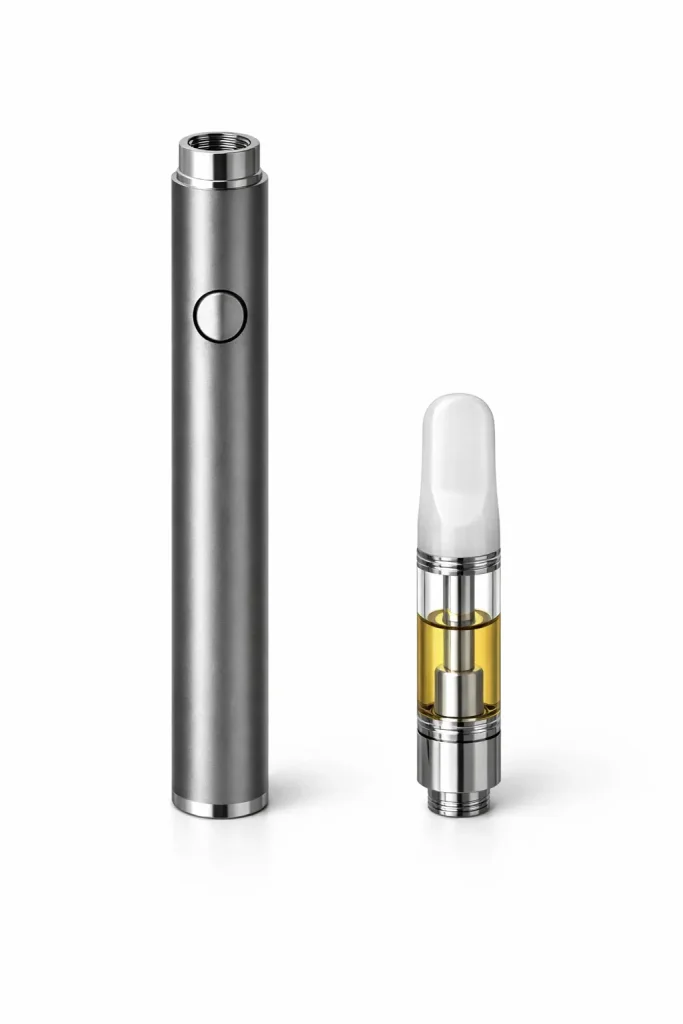
Before diving into the how-to, let’s clear up what a 510 vape battery actually is.
The term “510” refers to the threading standard used to connect the battery to vape cartridges. This universal design means that most 510 thread vape batteries are compatible with a wide range of cartridges, regardless of brand. Think of it like a USB port—it’s a standardized connection that works across different devices.
The battery itself provides the power needed to heat the oil or concentrate inside your cartridge, turning it into vapor you can inhale. Because of this universal threading, finding a 510 battery for vape cartridges is easy, and you’ll have plenty of options to choose from.
Understanding the Parts of a 510 Thread Battery Vape Pen
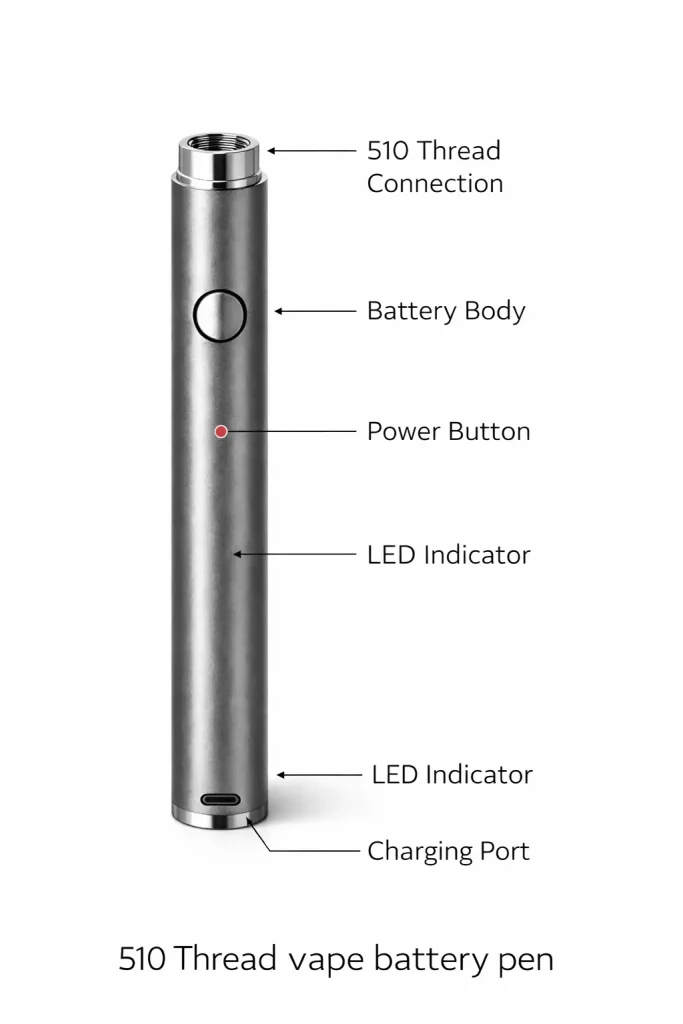
Before using your device, it helps to know what each part does. Here’s a quick breakdown:
Battery body: This houses the rechargeable lithium-ion battery that powers your device.
510 thread connection: The screw-on section at the top where your cartridge attaches.
Power button: On button-activated models, you’ll press this to heat the cartridge. Some devices are draw-activated, meaning they turn on automatically when you inhale.
LED indicator: A small light that shows battery status, power levels, and potential issues.
Charging port: Usually a micro-USB or USB-C port located at the bottom of the device.
Understanding these components will make the setup process much smoother.
Step 1 – Charge Your 510 Vape Battery Fully
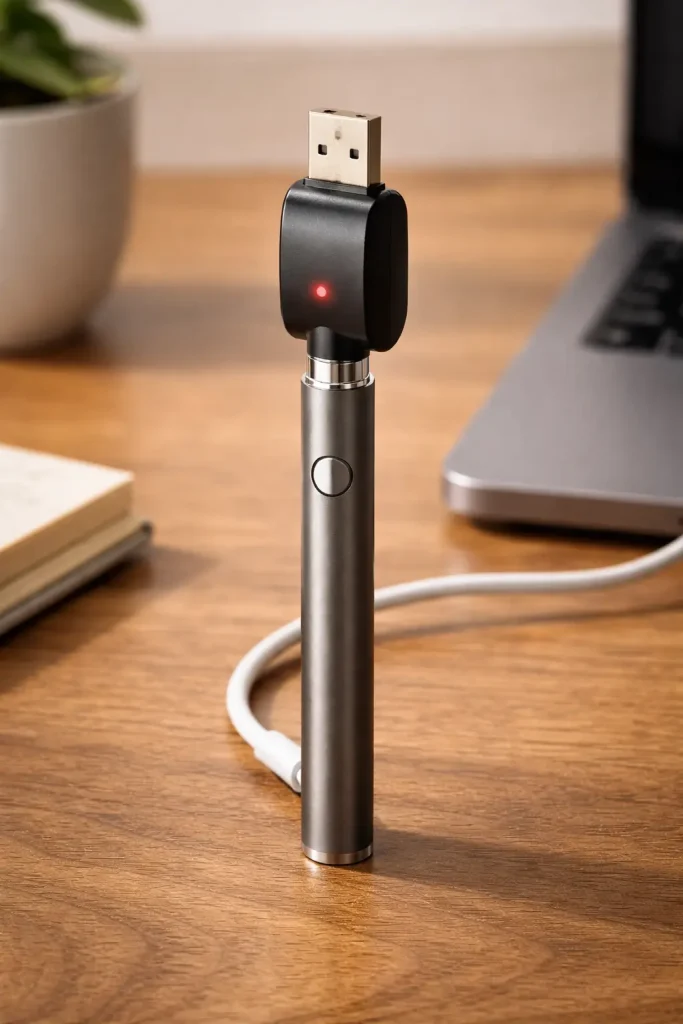
Here’s an important rule: always charge your vape battery 510 device fully before using it for the first time.
Most devices arrive partially charged, but starting with a full battery ensures optimal performance and helps extend the battery’s lifespan.
How to charge a 510 vape battery:
- Connect the USB charger to the charging port on your device.
- Plug the other end into a wall adapter or USB port.
- Watch the LED indicator—it typically glows red while charging and turns green (or shuts off) when fully charged.
- Charging usually takes 1–3 hours, depending on the battery capacity.
Safety tips:
- Don’t overcharge your battery. Unplug it once it’s fully charged.
- Use the original charger or a compatible one to avoid damage.
- Avoid charging overnight if possible.
Step 2 – Attach Your Cartridge Correctly
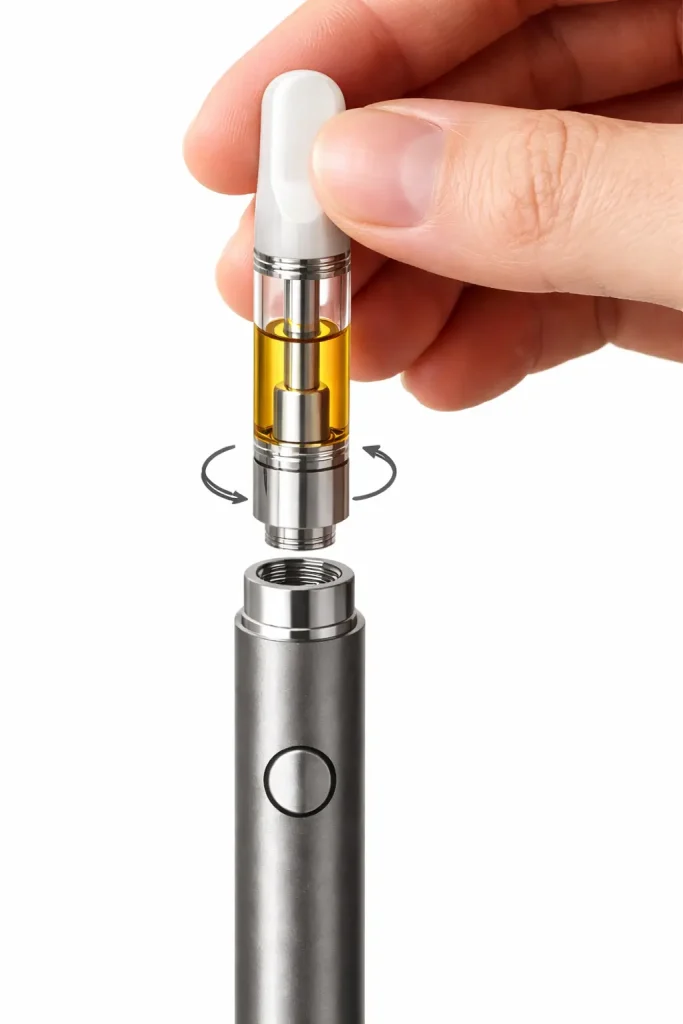
Once your battery is charged, it’s time to connect your cartridge.
Hold the battery in one hand and the cartridge in the other. Gently screw the cartridge onto the 510 thread connection. You should feel it catch the threading easily.
Important: Don’t overtighten. Screwing too hard can damage the connection or prevent the device from firing properly. A snug fit is all you need.
If the cartridge feels loose, unscrew it and try again. A proper connection is essential for the 510 thread battery vape pen to function correctly.
Step 3 – Turn On the Device
Most 510 vape batteries require you to press the power button five times rapidly to turn them on. You’ll know it’s activated when the LED light blinks or stays lit.
If your device is draw-activated (meaning it has no button), you can skip this step. Simply inhaling will power the device automatically.
Not sure which type you have? Check the product manual or try pressing the button. If nothing happens after a few clicks, you likely have a draw-activated model.
Step 4 – Adjust Voltage (If Available)
Some 510 thread vape batteries come with adjustable voltage settings, allowing you to customize your vaping experience.
Here’s a quick guide:
- Low voltage (2.4V–2.8V): Smooth, flavorful hits. Best for beginners.
- Medium voltage (3.0V–3.5V): Balanced vapor and flavor.
- High voltage (3.7V–4.0V): Thicker vapor, stronger throat hit.
If your device has this feature, start with the lowest setting. This prevents burning the oil and gives you a gentler introduction to vaping. You can always increase the voltage later once you’re comfortable.
To adjust voltage, you’ll typically click the power button three times. The LED will change color to indicate the setting.
Step 5 – Take Your First Puff
Now comes the moment you’ve been waiting for—your first puff.
For button-activated devices:
- Press and hold the power button.
- Slowly inhale through the mouthpiece.
- Release the button and continue inhaling for a second or two.
- Exhale gently.
For draw-activated devices:
- Simply place your lips on the mouthpiece and inhale slowly.
- The device will activate automatically.
- Exhale.
Beginner tips:
- Take slow, steady draws. Inhaling too quickly can cause harsh hits or clogging.
- Don’t “chain vape” (taking multiple hits back-to-back). Give your device a few seconds to cool down between puffs.
- If you cough, don’t panic. Start with smaller inhales and work your way up.
Common Beginner Mistakes to Avoid
Even with a step-by-step guide, it’s easy to make a few missteps when you’re just starting out. Here are the most common mistakes—and how to avoid them:
Not charging fully before first use: Starting with a low battery can lead to weak vapor and poor performance.
Overtightening the cartridge: This can damage the threading or prevent proper connection.
Using the wrong charger: Stick to the charger that came with your device or a verified replacement.
Starting with high voltage: This can burn the oil and create harsh, unpleasant hits.
Ignoring blinking light signals: Your LED indicator is trying to tell you something. A blinking light often means the battery is low, the cartridge isn’t connected properly, or there’s a short circuit.
How to Charge a 510 Vape Battery Safely
Proper charging habits can significantly extend the life of your device.
Charging time: Most 510 batteries take 1–3 hours to fully charge. Avoid leaving them plugged in overnight.
When to unplug: Once the LED turns green or shuts off, unplug your device.
Can you leave it overnight? It’s not recommended. Overcharging can degrade battery performance over time.
Signs your battery is fully charged:
- LED light turns green or goes off
- Device feels slightly warm (this is normal)
- Charger indicator (if applicable) shows completion
Do 510 Vape Batteries Go Bad?
Yes, like all rechargeable batteries, 510 vape batteries degrade over time.
On average, a well-maintained battery lasts 6–12 months with regular use. Heavy users may need to replace theirs sooner.
Signs it’s time for a new battery:
- It doesn’t hold a charge as long as it used to
- The device won’t turn on or fire properly
- The LED light blinks erratically
- Visible damage to the battery or charging port
How to extend battery life:
- Avoid extreme temperatures (don’t leave it in a hot car)
- Don’t drain the battery completely before recharging
- Store your device in a cool, dry place
- Clean the 510 thread connection regularly with a cotton swab
Where to Buy a Reliable 510 Vape Battery
Buying from a trusted source ensures you get a quality product that’s safe and built to last.
What to look for:
- Compatibility: Make sure it works with your preferred cartridges.
- Warranty: A good warranty shows the manufacturer stands behind their product.
- Build quality: Look for solid construction, smooth threading, and responsive buttons.
- Reviews: Check what other users are saying about performance and durability.
When searching for the best 510 vape battery, prioritize devices with adjustable voltage, reliable LED indicators, and fast charging capabilities.
Quick Troubleshooting Guide
Running into issues? Here are quick fixes for common problems:
Blinking light: Usually means the battery is low, the cartridge isn’t properly connected, or you’re taking too long of a draw. Try recharging, reattaching the cartridge, or taking shorter puffs.
Not firing: Check that the device is turned on (five clicks), the cartridge is secure, and the battery is charged.
Not charging: Try a different charger or USB port. Clean the charging port with a dry cotton swab.
Weak vapor: Increase the voltage setting (if available) or check that the cartridge has enough oil.
Getting Comfortable With Your 510 Vape Battery
Using a vape battery 510 device is simple once you understand the basics. Charge it fully, attach your cartridge carefully, start with a low voltage, and take slow, steady puffs.
Focus on safety by using the correct charger, avoiding overcharging, and maintaining your device regularly. With a little practice, you’ll find the settings and technique that work best for you.
Remember, every vaper was a beginner once. Take your time, listen to what your device is telling you through its LED indicators, and don’t hesitate to troubleshoot when something doesn’t feel right.
FAQs
How long does a 510 vape battery last?
Battery life varies based on usage, but most devices last 6–12 months. A single charge typically provides several hours of use, depending on how frequently you vape.
Can I use any cartridge with a 510 battery for vape?
Yes, the 510 threading is a universal standard, so most cartridges will fit. However, always check compatibility to ensure proper connection and performance.
What is the best 510 vape battery for beginners?
Look for a device with adjustable voltage, a clear LED indicator, and a reliable build. Button-activated models give you more control, which can be helpful when you’re learning.
Why is my 510 vape battery blinking?
A blinking light usually indicates a low battery, poor cartridge connection, or a protection feature kicking in (like overheating or short circuit detection). Try recharging or reattaching your cartridge.
How often should I charge my vape battery 510 device?
Charge it whenever the LED indicates low battery or when you notice weaker vapor production. Avoid letting it drain completely before recharging.